

- open a session on your server with
@concatflow/node, - show the assistant with
<ConcatflowAssistant>, - renew the session when it expires,
- check that two customers never see each other’s data.
Before you start
You need Node 20.9 or later, for Next.js 16. In the Concatflow dashboard, open your assistant and check four things:- Isolation is signed on
customer_id. If your isolation uses another key, use that key wherever this tutorial sayscustomer_id. - In Doors, the per-user door is on.
- In Doors → Allowed origins,
http://localhost:3000is listed. - The assistant is published.
1. Create the app
--yes picks the defaults: TypeScript, the App Router and the @/* import alias. This tutorial relies on all three.
2. Add your keys
Create.env.local at the root of the project:
.env.local
NEXT_PUBLIC_, so Next.js never sends them to the browser. The project’s .gitignore already leaves .env* files out of git.
3. Add a stand-in login
The assistant needs to know who is logged in. Your app already has a login. For this tutorial, a cookie holding the customer ID stands in for it.lib/auth.ts
app/login/actions.ts
app/login/page.tsx
4. Open a session on the server
One function opens a Concatflow session for one customer.server-only makes the build fail if a client component ever imports it, so your API key cannot reach the browser.
lib/concatflow.ts
{ token, expiresAt }. The token is opaque and lasts 15 minutes. The keys of partitions must be exactly the keys of the isolation: a missing or extra key fails with 403 partition_keys_mismatch.
5. Add the renewal route
When a token expires, the assistant asks your page for a new one. Your page asks this route.app/api/concatflow/session/route.ts
401 to a visitor who is not logged in. It never passes Concatflow’s error body to the browser: it logs the status and only returns the code.
6. Show the assistant
The dashboard is a server component. It opens the first session while it renders, so the assistant gets its token without a round trip.app/dashboard/page.tsx
create-next-app turns on Cache Components. With them, code that reads the request, such as cookies() in auth(), must render inside <Suspense>. Without it, next build fails on this page.
The assistant itself is a client component. It renews its token through the route from step 5.
app/dashboard/assistant.tsx
key={customerId} gives each customer a fresh assistant. When the customer logs out, the component unmounts and the assistant is destroyed.
7. Run it
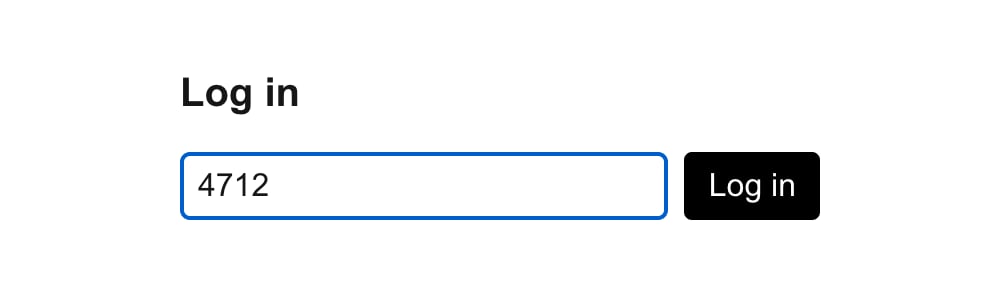
The stand-in login.
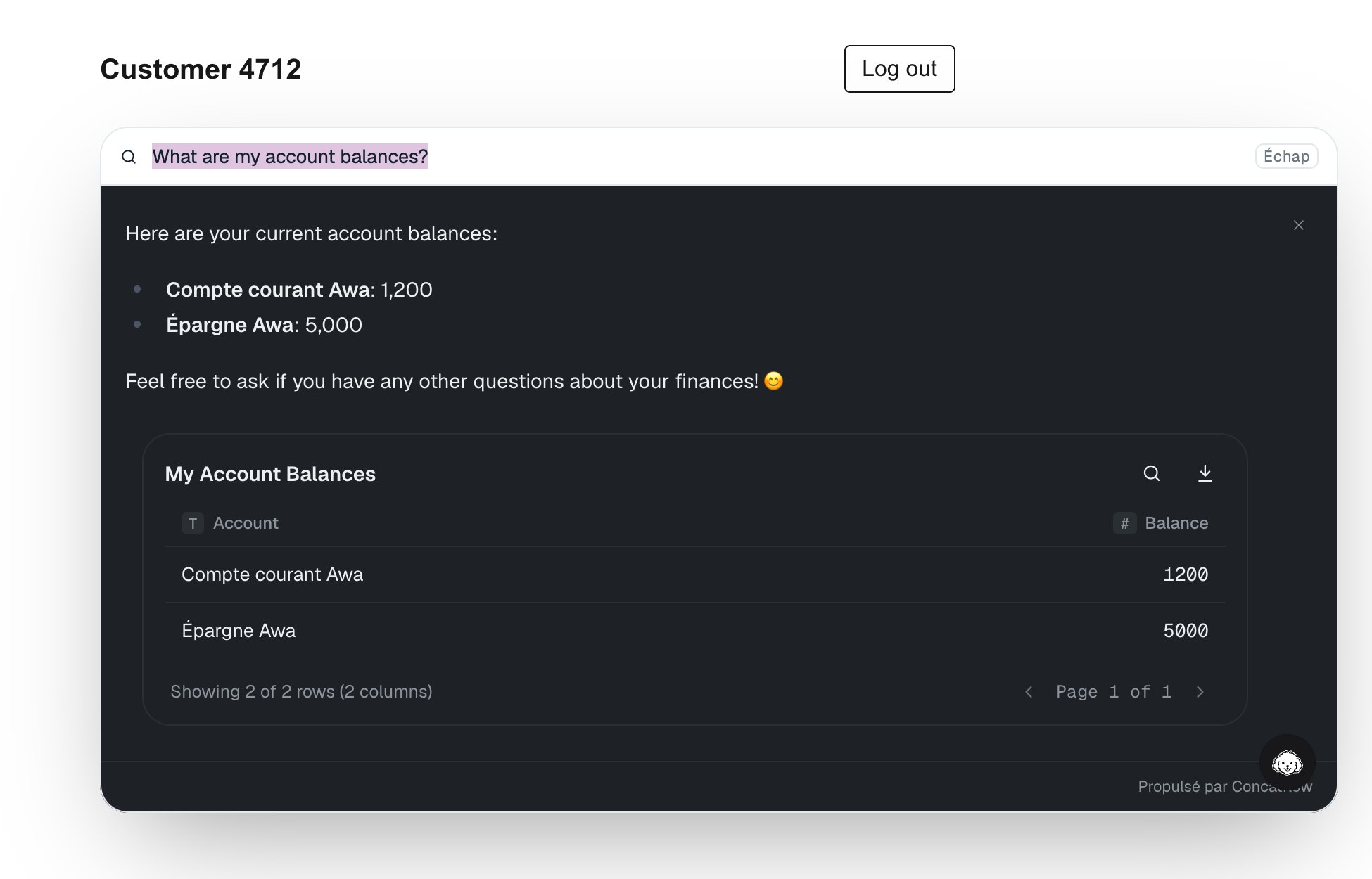
Customer 4712 sees their two accounts.
8. Check the renewal
You do not have to wait 15 minutes. Inapp/dashboard/assistant.tsx, hand the assistant a token Concatflow will refuse:
app/dashboard/assistant.tsx
POST /api/concatflow/session, and the assistant answers. That is what happens 15 minutes after each page load. Put session={initialToken} back.
9. Check the isolation
- Note the answer the first customer got.
- Click Log out, then log in with the second customer ID.
- Ask the same question.
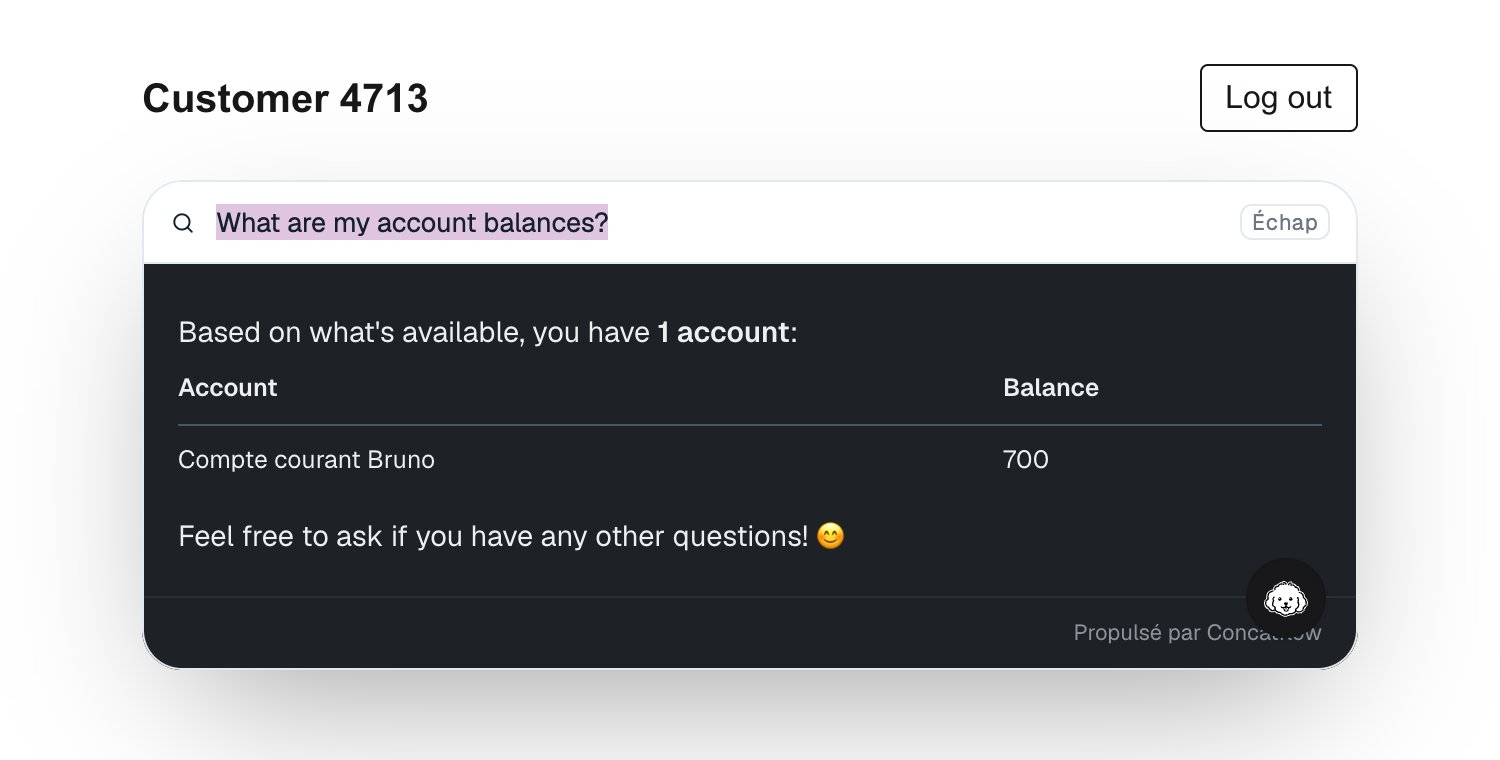
Customer 4713 asks the same question and sees only their own account.
What you built
The browser only ever holds the token. Your API key, and the customer ID Concatflow filters on, stay on your server.
Next steps
Go live
Production origins, caps and the last checks.
Erase a customer's conversations
Call
conversations.erase when a customer deletes their account.Appearance
Accent colour, theme and placeholder.
Bar or bubble
Choose where the assistant lives on the page.